Precision-aware dates
Never invents false precision; stores exactly what you know.
Features
CandorBrief is a WordPress plugin that assembles narrowly-scoped, copy-only prompts from candidate-approved public evidence. It is built for hiring conversations, not general personal-site building.
Requirements
WordPress 6.6 or later and PHP 8.1 or later.
You can log in to wp-admin, install and activate plugins, and create a page for your brief.
Verification, access requests, and invitations are sent from your site. An SMTP plugin is a common way to make sure they arrive.
For Pro, install CandorBrief Free first. Pro adds to it and does not replace it.
You do not need to write code. If you can install a plugin and add a shortcode to a page, you can run CandorBrief. Not sure your setup qualifies? Read the FAQ or ask before you download.
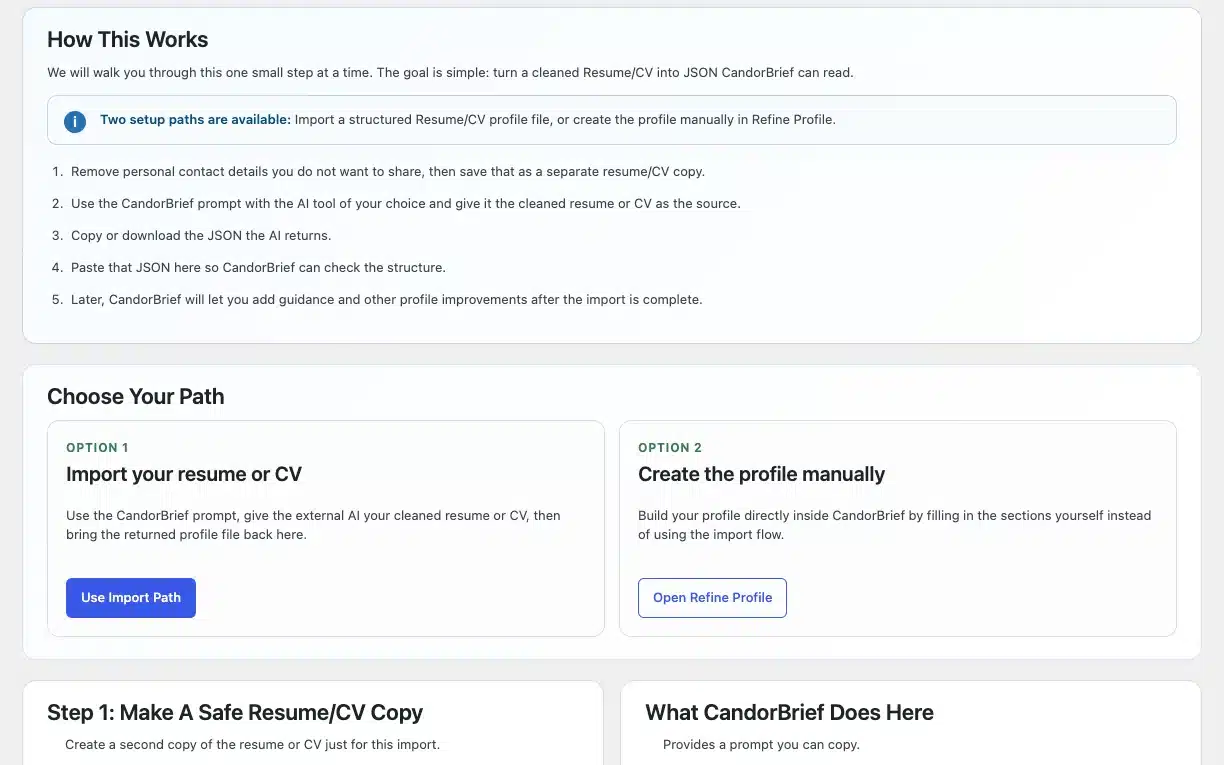
Copy a backend-provided prompt into your own AI tool, scrub your PII, then paste the returned JSON back into WordPress for validation. Nothing is uploaded or parsed inside the plugin. CandorBrief is AI-free by design.
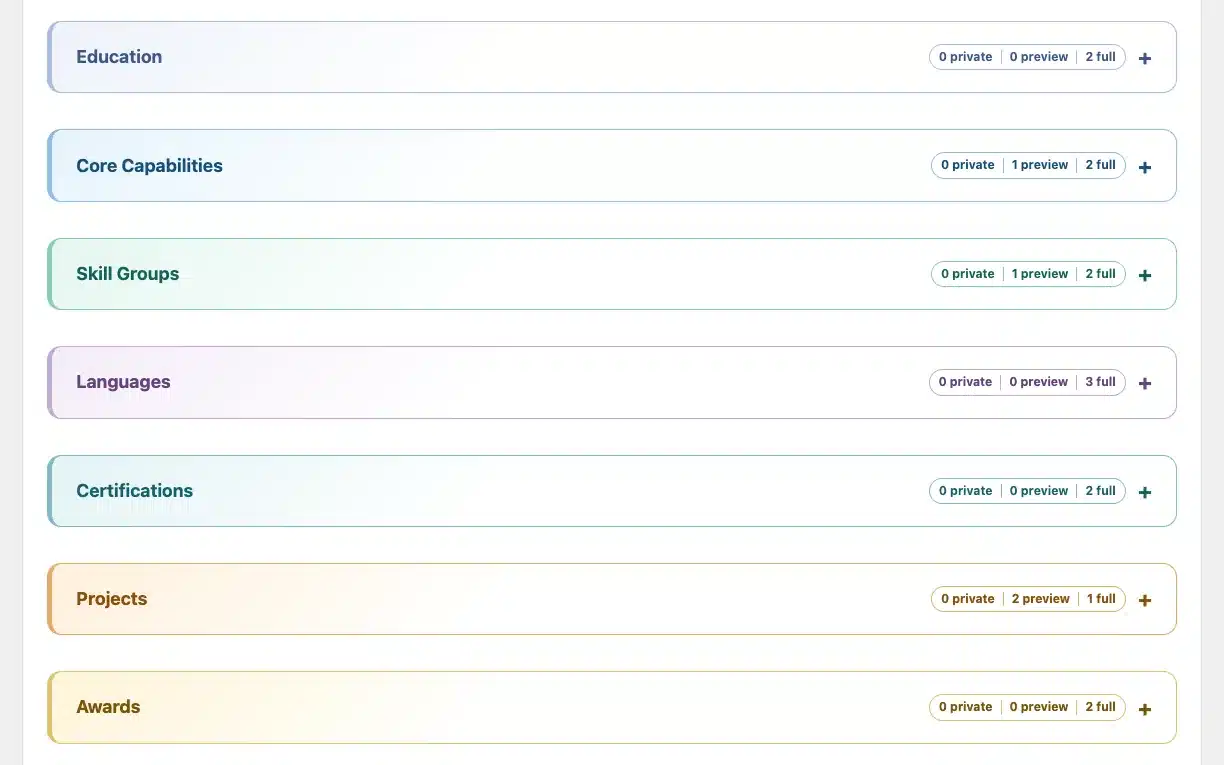
Everything is private by default. Every stored section item, including Work History, Education, and Skills, has its own public/private toggle, and nothing renders publicly until you explicitly publish.
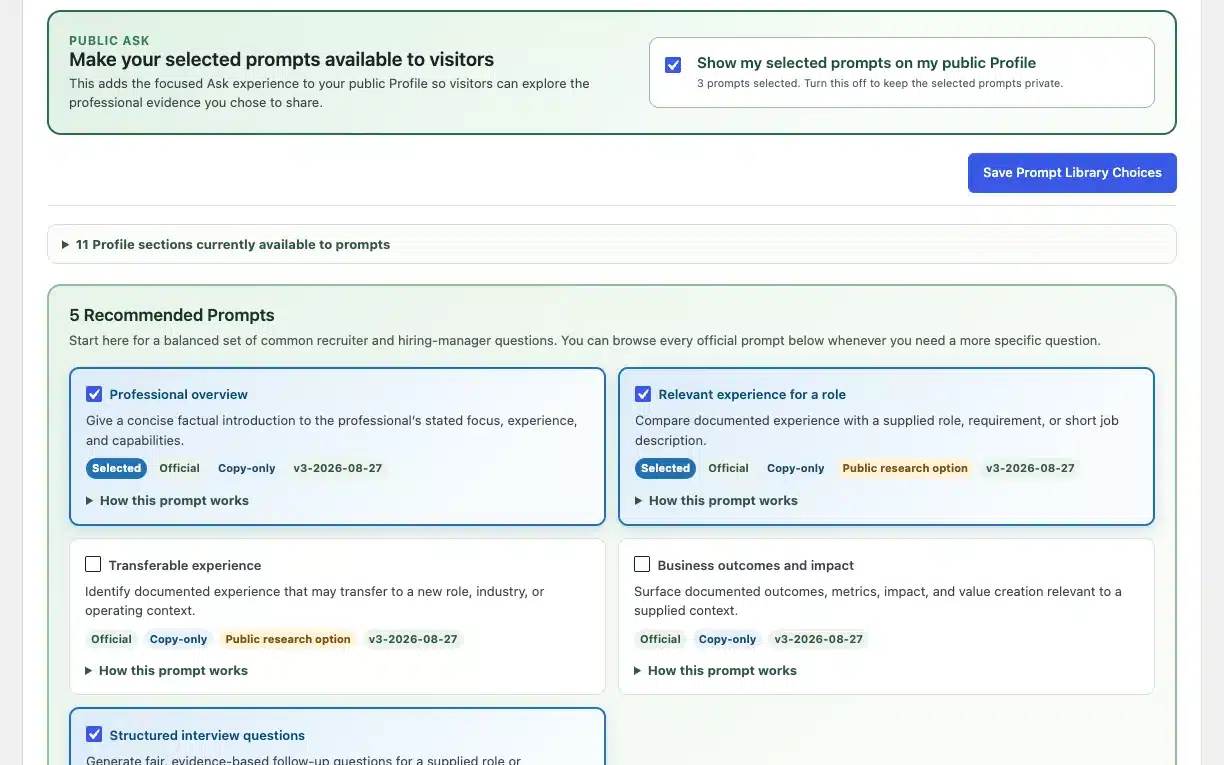
Three approved prompt cards, covering a factual overview, relevant experience vs. a requirement, and evidence for a responsibility, are fully visible before copying. Guardrails are honest about being advisory only, never a guarantee.
Also included
Included today
The feature explains the job it does. Free and Pro then show the short, practical difference. Pro builds on everything in Free.
Feature
Free
Pro
Build and share
Structured profile
Turn a Resume/CV into a profile you can review and refine.
Included
1 current profile
Included
For every Pro Profile
Profile variations
Keep distinct professional contexts separate.
Focused
1 Free profile
Expanded
Up to 5 Pro Variations, plus 1 Free profile
Visibility and access
Control evidence and visitor access to your brief.
Included
5 access modes for your Free profile
Included
5 access modes for every Pro Profile
Public page and URL
Give people a clear path to the brief you want to share.
Included
WordPress shortcode page
Included
Unique URL and shortcode per Pro Profile
Publication control
Choose when each profile is publicly available.
Available or Hired
Free profile availability
Draft or Published
Separate state for every Pro Profile
Public style themes
Choose the visual presentation of your public brief.
Refined
One polished default look
6 themes total
Modern, Classic, Edgy, Light, Dark, plus Refined
Search visibility control
Decide whether search engines can discover and index this brief, separate from whether visitors with the link can view it.
Included
Opt-in, canonical URL, sitemap entry
Included
Same control, per Pro Profile
Prompts and conversations
Official Prompt Library
Curated AI prompts for different review tasks.
Included
40 prompts to review
Included
Same 40-prompt library
Public prompt selection
Choose which eligible prompts visitors can copy into their AI tool.
Curated
Up to 3 active
Expanded
Every eligible prompt per Pro Profile
AI-free prompt model
You choose the evidence, prompt, and external AI tool.
Included
Copy-only prompts
Included
Copy-only prompts
Verified connection
Keep contact, access requests, grants, and private invitations controlled.
Included
For your Free profile
Included
For every Pro Profile
Professional Workspace
Workspace and Profile Family
Organize related profiles privately without exposing that structure publicly.
Not needed
One focused profile
Included
Private Profile Family
Workspace operations
Manage profile labels, purpose, lifecycle, and operational notifications.
Not applicable
No profile library
Included
Create, copy, archive, restore, delete