How it works
From Resume/CV to shareable brief in seven steps.
You bring the Resume/CV you already have. CandorBrief helps you turn it into a focused brief where you choose what is shared, who can see it, and which prompts visitors can use.
Start here
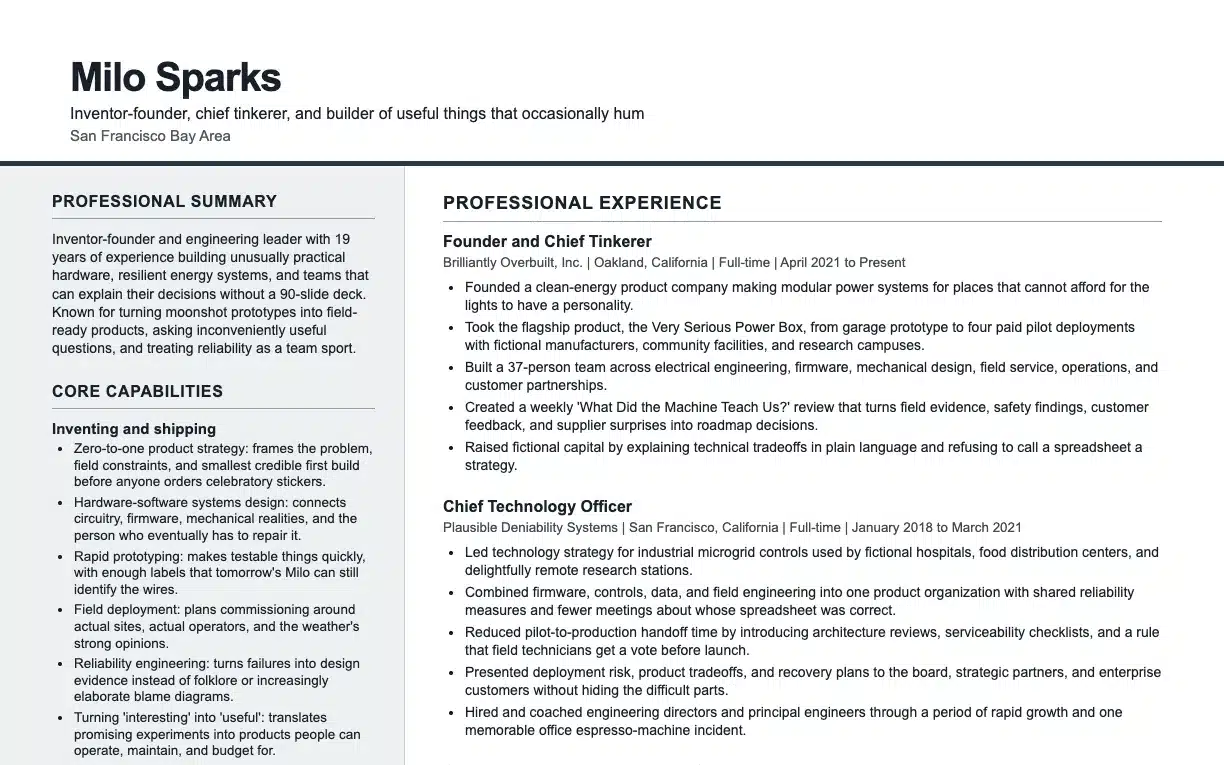
Begin with the Resume/CV you already have.
Use the same Resume/CV you send to employers. It stays your source document, and CandorBrief builds on top of it.
1
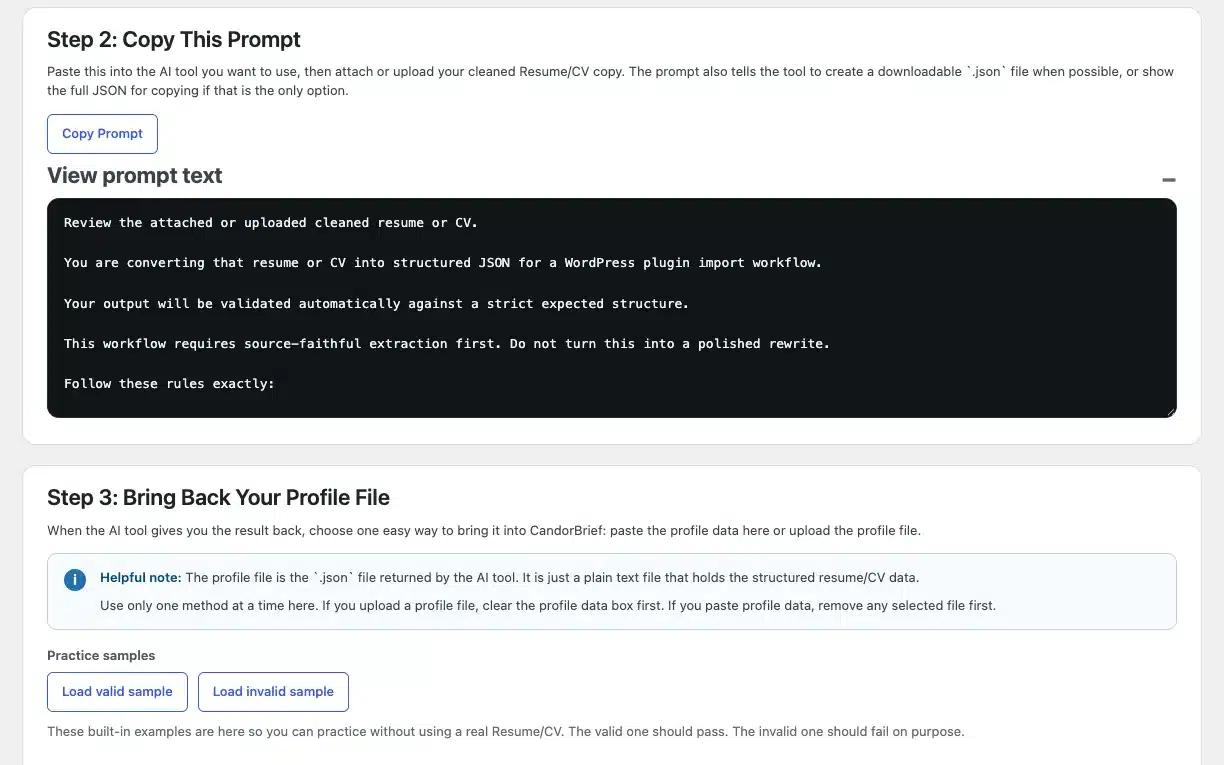
Import it with your own AI tool.
Copy the import prompt from CandorBrief, run it in the AI tool you already use, then paste the returned JSON back for validation. CandorBrief does not use AI. You run this step yourself, and nothing is uploaded or parsed inside the plugin.
Scrub personal details from your Resume/CV before you run the prompt.
2
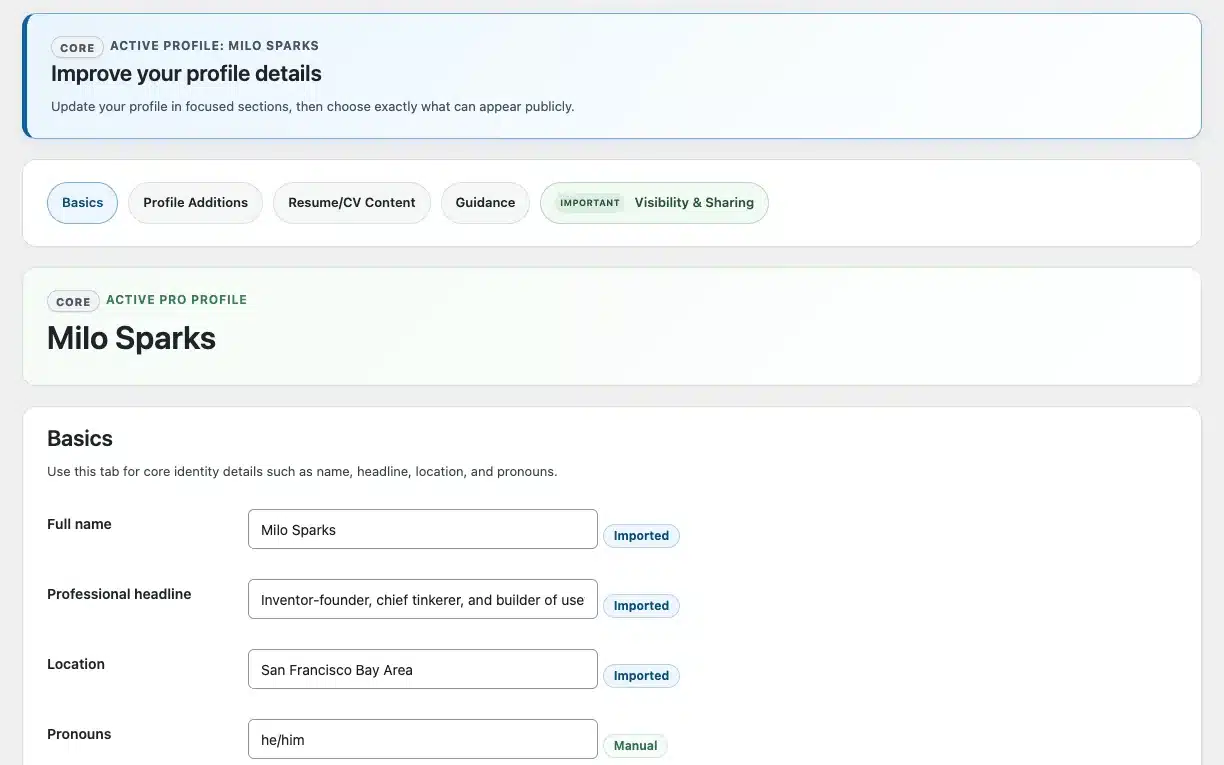
Review it, then refine it.
Check what was imported, edit each section, and enter dates only as precisely as you know them. Add Professional Links such as your portfolio or LinkedIn.
3
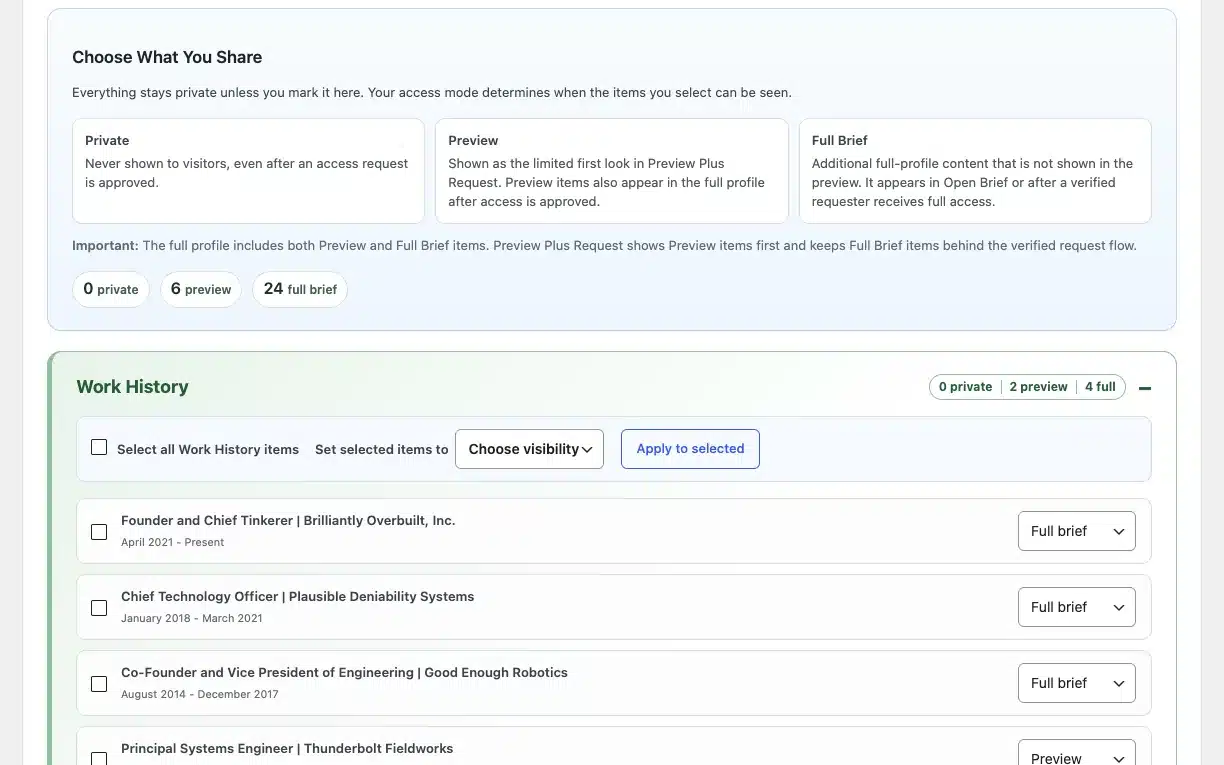
Choose what is public.
Everything starts private. Turn on only the sections and items you want visitors to see, one by one. Professional Links have their own public or private switch.
4
Decide who gets access.
Pick how visitors reach your brief, from fully open to invite-only to completely private. All five modes are included in Free and Pro. Choose a mode below to see what it does for you, then open a live example.
Open Brief
Anyone with your link can review the content you made public and use your available prompts immediately.
Good for: keeping the path between you and a reader as short as possible.
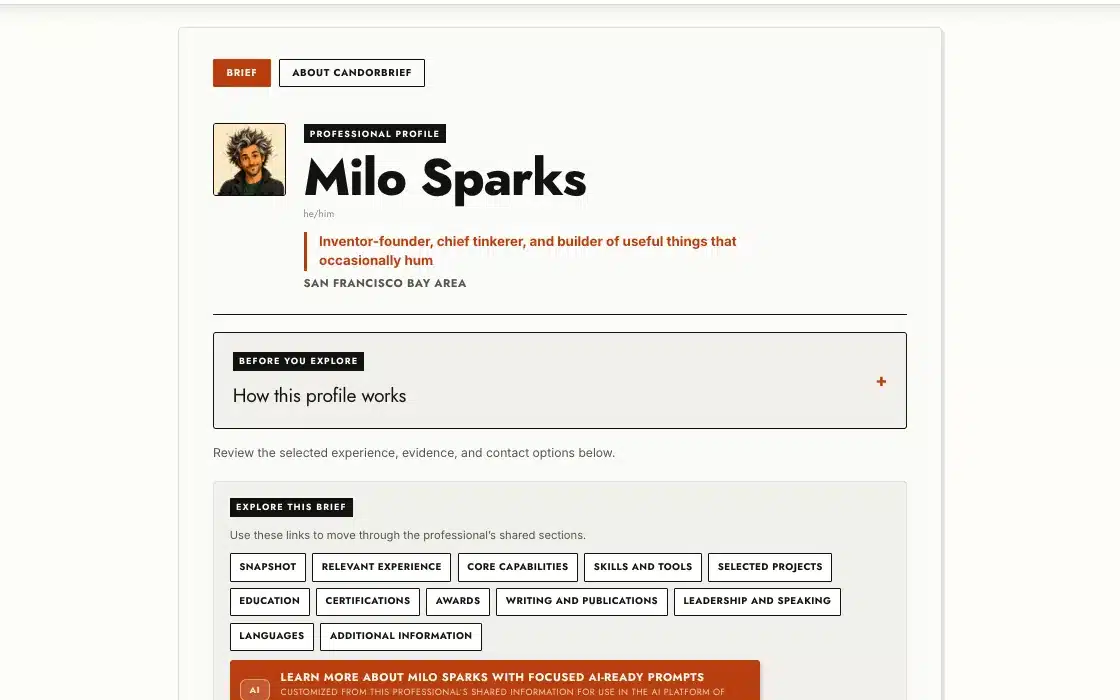
Live example: Milo Sparks, a fictional Pro profile.
See it livePreview Plus Request
Visitors see only the preview you select, then submit and verify a request for full access.
Good for: showing enough to earn interest while keeping the rest for people who ask.
Live example: Milo Sparks, a fictional Pro profile.
See it liveRequest-Only
Visitors submit and verify a request before any profile content or prompts are available.
Good for: knowing who is asking before anything is shared.
Live example: Milo Sparks, a fictional Pro profile.
See it liveProtected Brief
Invite-only access for people you choose. Recipients get a revocable, time-limited email link and never need a WordPress account or password.
Good for: sharing with one recruiter or hiring manager.
Live example: Milo Sparks, a fictional Pro profile.
See it livePrivate
No profile content or request actions are available. The page shows only the high-level CandorBrief context.
Good for: building your brief in peace, or pausing your search.
Live example: Milo Sparks, a fictional Pro profile.
See it live5
Give visitors better questions with the Prompt Library.
Choose from 40 official prompts in 8 categories. Each one turns only the evidence you made public into a ready-to-use question that a visitor can copy into their own AI tool. The full prompt is always visible before anyone copies it. Pick a category to see what its prompts do.
Professional snapshot and positioning
- Professional overview: Give a concise factual introduction to the professional’s stated focus, experience, and capabilities.
- Career narrative: Understand the documented progression, pivots, and recurring themes across this professional’s experience.
- Role focus: Identify the work areas and responsibilities most consistently represented in the profile.
- Career progression: Review documented growth in scope, responsibility, or specialization over time.
- Distinctive experience themes: Surface recurring factual themes that may help frame a recruiting conversation.
Role and competency fit
- Relevant experience for a role: Compare documented experience with a supplied role, requirement, or short job description.
- Capability comparison: Compare stated capabilities with the competencies needed for a role or engagement.
- Transferable experience: Identify documented experience that may transfer to a new role, industry, or operating context.
- Role readiness questions: Prepare factual questions about the evidence needed to assess readiness for a supplied role.
- Requirement evidence map: Create a structured map between supplied requirements and the available evidence.
Work examples, outcomes, and quality
- Business outcomes and impact: Surface documented outcomes, metrics, impact, and value creation relevant to a supplied context.
- Project delivery evidence: Identify documented project planning, delivery, implementation, or execution evidence.
- Quality and standards evidence: Identify evidence of quality, safety, compliance, craft, reliability, or professional standards.
- Scope and complexity: Review the documented scale, complexity, constraints, and operating context of prior work.
- Problem-solving examples: Surface factual examples of diagnosing, resolving, or improving a problem.
Collaboration, communication, client, and service work
- Cross-functional collaboration: Identify documented work across teams, disciplines, partners, or functions.
- Communication evidence: Surface documented written, verbal, presentation, facilitation, or knowledge-sharing evidence.
- Stakeholder management: Identify evidence of working with internal or external stakeholders around a supplied context.
- Client or customer delivery: Surface documented client, customer, patient, guest, user, or partner service evidence.
- Service, trust, and follow-through: Review evidence of reliability, ownership, service recovery, and relationship trust.
Leadership, operations, and people impact
- People leadership: Identify documented leadership of people, teams, development, or performance.
- Leadership of leaders: Review evidence relevant to leading managers, senior professionals, or distributed leadership structures.
- Operational leadership: Surface documented evidence of operating rhythm, execution, systems, or process ownership.
- Talent development: Identify stated evidence of coaching, mentoring, hiring, development, or team capability building.
- Organizational change leadership: Review evidence of leading change, adoption, restructuring, or organizational improvement.
Strategy, transformation, and organizational scope
- Strategic planning: Identify documented strategy development, prioritization, market, or planning work.
- Transformation and change: Surface documented business, digital, operational, or organizational transformation evidence.
- Growth or turnaround: Review factual evidence related to growth, recovery, scaling, or turnaround situations.
- Governance and risk: Identify documented governance, compliance, risk, controls, or regulated-environment experience.
- Operating-model evidence: Surface documented work on systems, processes, structures, handoffs, or operating models.
Executive, fractional, and consulting
- Executive stakeholder influence: Review evidence of influencing senior decision-makers, partners, or cross-enterprise stakeholders.
- Board or governance readiness: Identify documented board, governance, advisory, fiduciary, or committee-related experience.
- Fractional mandate fit: Compare documented experience with a short fractional or interim leadership mandate.
- Consulting engagement fit: Compare documented experience with a consulting, advisory, or project engagement context.
- Executive and advisory outcomes: Surface documented outcomes relevant to executive, advisory, or senior consulting work.
Evaluation and validation
- Structured interview questions: Generate fair, evidence-based follow-up questions for a supplied role or requirement.
- Evidence to validate: Identify role-relevant facts that need confirmation or deeper discussion.
- Reference-check themes: Prepare factual, role-relevant reference-check themes based on the supplied evidence and role context.
- Evaluation criteria: Turn a supplied role context into consistent evidence-based evaluation criteria.
- Search-discussion brief: Prepare a concise factual brief for a recruiter, hiring manager, or search-calibration conversation.
Free
3 active at a time. All 40 to review.
Pro
Every prompt can be active, and each Profile Variation has its own prompt selection.
A prompt becomes available once you have made enough matching evidence public.
6
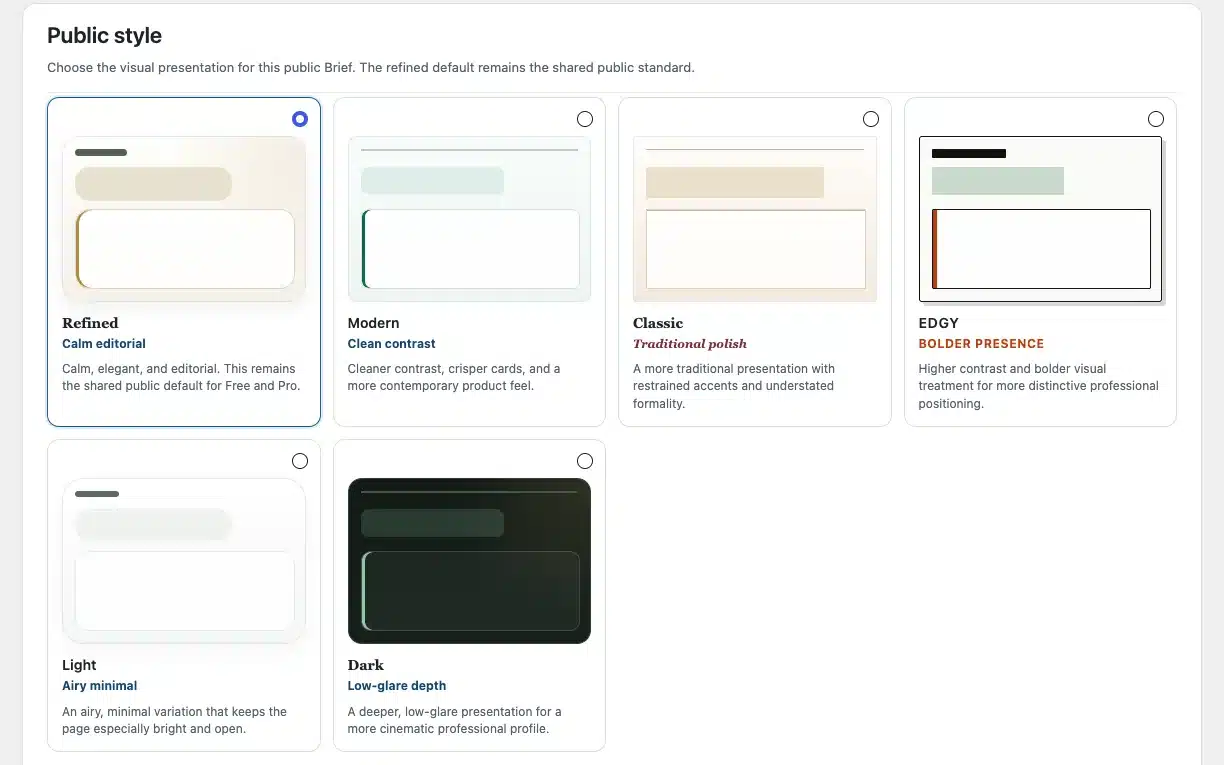
Pick how your brief looks.
Free uses the polished Refined style. Pro adds five more, so you can choose a look that suits your field and your audience.
Free
Refined
Pro
Modern
Classic
Edgy
Light
Dark
7
Publish and share one link.
When you are ready, turn on Publish and share your link. You can change what is public at any time.
Free
Place the CandorBrief shortcode on the page you choose.
Pro
Pro also creates a page for you at its own URL, and the shortcode works on any page or post.
Optional
Search visibility lets search engines find your Open Brief. It stays off until you turn it on, and it is included in Free and Pro.
Bonus state: landed the job?
Set your Profile availability to Hired. Your brief becomes an "I've been hired!" update, with a little confetti, and your saved setup stays ready if you ever need it again.
Pro
Go further with Pro.
Pro builds on everything in Free, and your Free profile stays intact. Free gives you one Base Profile. Pro adds up to five Profile Variations, each with its own URL, access mode, style, and prompt selection, so you can tailor your brief to different roles without rewriting your Resume/CV.
Up to 5 Profile Variations
Every prompt active, not just 3
6 styles, not 1
One private Workspace
Now see what your visitors see.
The person who receives your link sees something different in each access mode.